Verify Your Compounds
Verify Your Compounds: Keep Your Own COAs
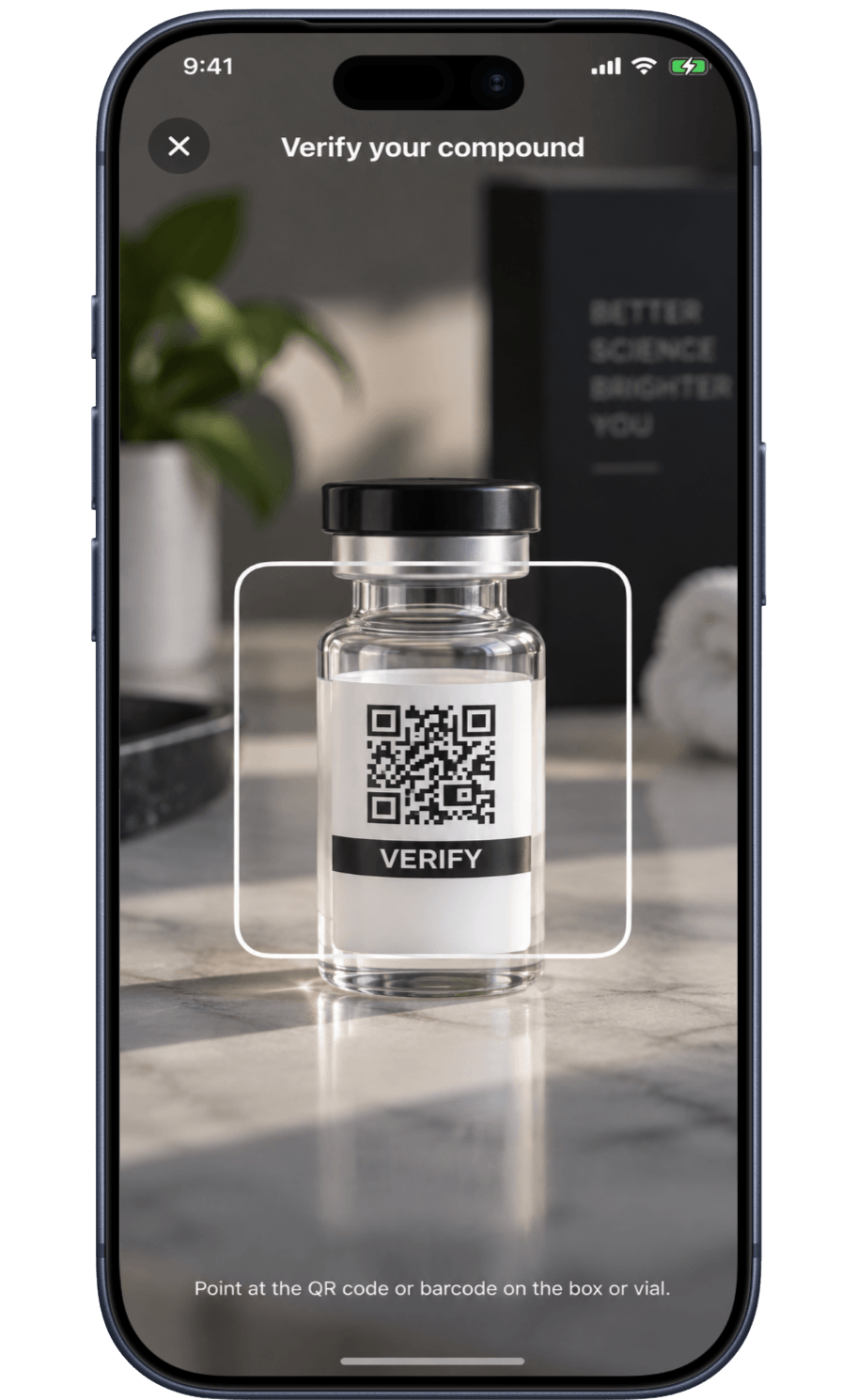
File a Certificate of Analysis against a tracked compound, scan the code on your packaging, and compare batch numbers yourself.
Published by Peptade · Verify Your Compounds · Updated September 2026
Verify Your Compounds is Peptade's name for what you do with your own documents — file a Certificate of Analysis (COA) against a compound you're tracking, read what it states, and keep it filed under that compound. Nothing about the document is checked by Peptade itself.
Peptade does not test, verify, authenticate, validate, rate or certify any document, laboratory, batch, vendor or product. The feature's name describes the record-keeping you do; it isn't a claim that Peptade has checked anything. Scanning a QR code or barcode records what the code contains — it doesn't identify a substance, and Peptade doesn't inspect the page it might link to or form a view about any seller.
You compare the batch number on your document with the one printed on your own vial and record your own answer; Peptade doesn't perform that comparison for you. A field checklist shows which fields a thorough document generally contains — it's not a score. Where a compound is in Peptade's library, the app also states its FDA regulatory status, from the public record — a status about the compound, not the contents of your vial, and not a finding that it's safe for you or from any particular source.
Your documents, kept where your tracking is
File a COA per compound
Attach a Certificate of Analysis document to any compound you're tracking.
Scan a QR or barcode
Scan instead of typing — the app records what the code contains and identifies nothing.
Compare batch numbers yourself
Place your document's batch number beside your vial's and record what you conclude.
Learn to read a COA
A field-by-field guide to what a thorough Certificate of Analysis generally includes.
Regulatory status shown
See a library compound's FDA status from the public record — about the compound, not your specific vial.
Optional AI transcription
Let the app copy printed fields from a page of your document to save typing, if AI features are on.
Frequently asked questions
No. Peptade does not test, verify, authenticate, validate, rate or certify any document, laboratory, batch, vendor or product. The feature keeps records you supply and shows you what they state.
No. A scan records what the code contains — often a web address — and nothing about the substance. You select the compound yourself; the app doesn't determine it from a scan.
No. The app places the number from your document next to the number you type from your vial, and you decide whether they match. That's your conclusion, not a finding by Peptade.
No. It reports whether a document carries certain fields. There's no total, grade or pass/fail, and the result isn't an assessment of the document or the product.
Yes, transcription can be wrong. It copies printed text; it doesn't confirm the text is accurate. Check every value against your document.
Keep exploring
- COA trackerCOA Tracker: Certificates Kept per CompoundKeep every Certificate of Analysis with the compound it belongs to: scan, snap or upload it, read its fields, and compare batch numbers yourself.
- GuideHow to read a certificate of analysis (COA)What a COA is, the fields a thorough one carries, why purity isn't identity, why a COA describes a batch and not your vial, and what Peptade does not check.
- Research libraryResearch Library: Peptide & GLP-1 ProfilesBrowse peptide and GLP-1 profiles with regulatory status, evidence labels, mechanism and what research has studied — no doses for unapproved compounds.
- Peptide trackerPeptide Tracker: Doses, Cycles & SupplyLog every peptide and GLP-1 you take — doses, weekly schedules, on/off cycles, injection sites and vial supply, in one running history.
- Vial trackerPeptide Vial Tracker: Supply & ReconstitutionTrack a vial's supply and reconstitution date, with a live countdown calculated from the doses you log.
Track it in Peptade.
Doses, schedules, cycles, injection sites and supply — one app, free to download on iOS and Android.
Peptade is for tracking and education only. It is not medical advice, a diagnosis, or a prescription, and it does not tell you to take, start, stop or buy anything. See the Medical Disclaimer.