COA tracker
COA Tracker: Every Certificate, Kept With Its Compound
Scan, snap or upload a Certificate of Analysis, keep it with the compound it belongs to, and read what it states — Peptade checks nothing.
Published by Peptade · COA tracker · Updated September 2026
A Certificate of Analysis (COA) is easy to lose: a PDF in an email, a photo in your camera roll, a QR code on a box you've thrown away. The COA tracker in Verify Your Compounds keeps each document with the compound you're tracking, so it's there when you want to read it again.
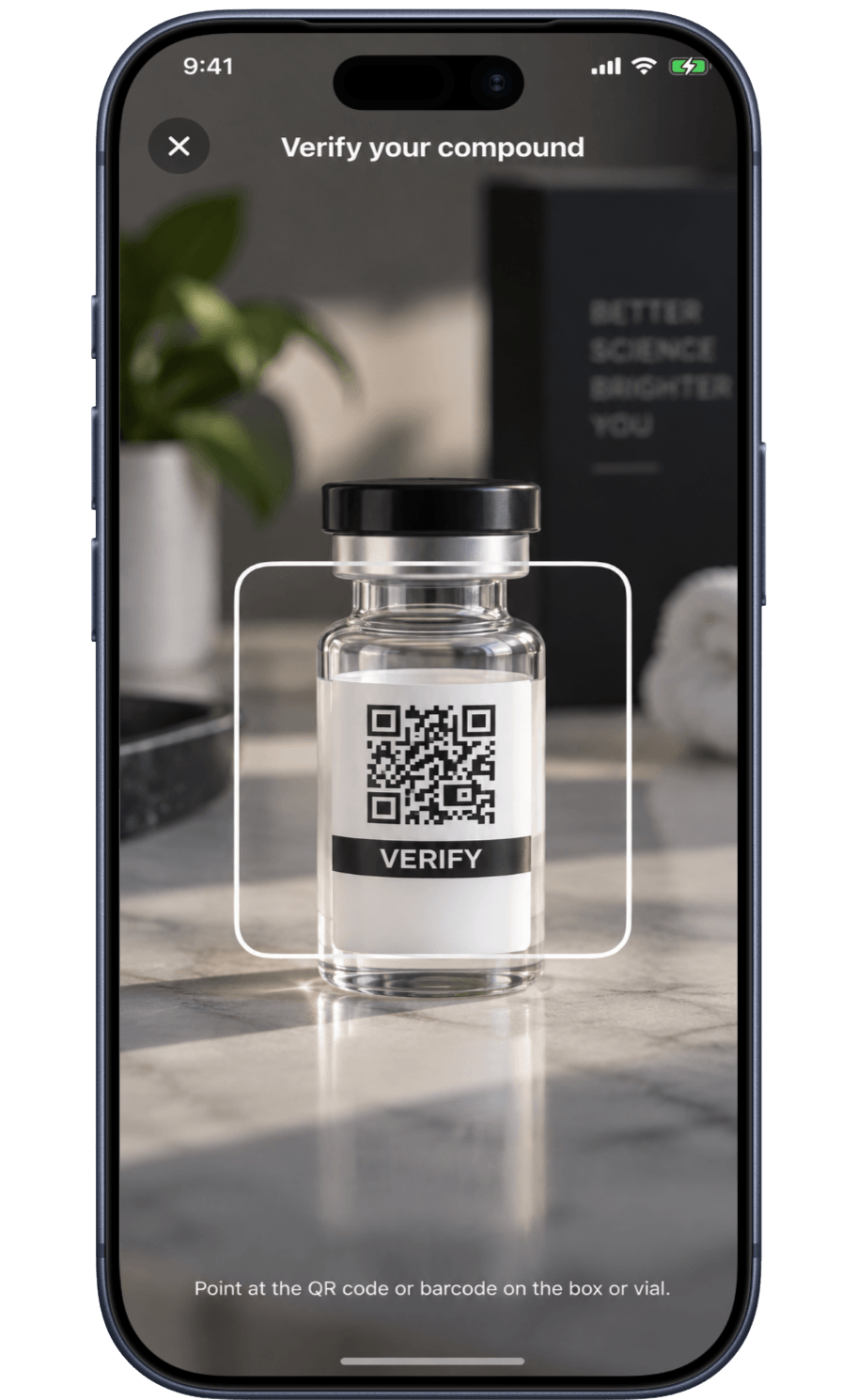
Add a document the way you have it: scan the QR code or barcode on your packaging, take a photo, choose an image or PDF file, or type the fields in. If AI features are on, the app can copy the printed fields — the lab named, the batch number, the compound named, the purity figure and its method, the test date and the lab's contact details — from one page of the document to save you typing. Anything it can't read clearly is left blank rather than guessed.
Peptade does not test, verify, authenticate, validate, rate or certify any document, laboratory, batch, vendor or product. A COA describes a sample from one batch, not the vial in your hand, and Peptade can't tell whether a document is real. You compare the batch number yourself, and the app records the answer you give.
Your COAs, kept where your tracking is
Filed under the compound
Each document sits with the compound it belongs to, next to the rest of that compound's record.
Scan, snap, upload or type
Scan a QR code or barcode, take a photo, choose an image or PDF, or enter the fields by hand.
Optional AI transcription
With AI features on, the app copies printed fields from one page — up to 20 documents a day. Check every value.
Field checklist
See which fields a thorough report generally carries and which ones this document shows. It's not a score.
Batch numbers side by side
The document's batch number sits beside the one you type from your vial; you decide whether they match.
A guide to reading one
A field-by-field guide to what a Certificate of Analysis states, and what it can't tell you.
Frequently asked questions
No. Peptade doesn't test, verify, authenticate or certify any document, lab, batch or product, and it can't detect a fabricated report. Only the laboratory that issued a report can confirm what it issued.
The app records what the code contains and, for a web address, the site name. It doesn't open or inspect the linked page, identify your substance, or form any view about a seller.
One page is sent over an encrypted connection via OpenRouter to OpenAI's vision models, only to copy its printed text. Turn AI features off in Profile ▸ Privacy Settings ▸ Manage Consents and no document leaves your device; you type the fields yourself.
Yes, at any time. Deleting it, deleting the compound it's filed under, using Delete Data or deleting your account removes both the record and the stored file. Keep your own copy too — Peptade isn't a records-retention service.
No. A match only shows that the document and the vial carry the same number. It doesn't show that the report is real, that the vial came from that batch, or that it was stored and handled properly.
Keep exploring
- Verify Your CompoundsVerify Your Compounds: COA Record KeepingKeep Certificate of Analysis documents against your compounds and compare batch numbers yourself — Peptade does not verify or authenticate any of them.
- GuideHow to read a certificate of analysis (COA)What a COA is, the fields a thorough one carries, why purity isn't identity, why a COA describes a batch and not your vial, and what Peptade does not check.
- Research libraryResearch Library: Peptide & GLP-1 ProfilesBrowse peptide and GLP-1 profiles with regulatory status, evidence labels, mechanism and what research has studied — no doses for unapproved compounds.
- Vial trackerPeptide Vial Tracker: Supply & ReconstitutionTrack a vial's supply and reconstitution date, with a live countdown calculated from the doses you log.
- Peptide trackerPeptide Tracker: Doses, Cycles & SupplyLog every peptide and GLP-1 you take — doses, weekly schedules, on/off cycles, injection sites and vial supply, in one running history.
Track it in Peptade.
Doses, schedules, cycles, injection sites and supply — one app, free to download on iOS and Android.
Peptade is for tracking and education only. It is not medical advice, a diagnosis, or a prescription, and it does not tell you to take, start, stop or buy anything. See the Medical Disclaimer.